Attributes
Declare the sixteen attribute types with their options, know what the API validates on write, and read back values with the types the builder promised.
Every attribute is declared with a factory named after its type. The factory takes { name, label } and returns a builder you chain and hand to object().attribute(). The object builder builds the attributes for you.
import { object, text, number } from "@standards/client";

export const PRODUCT = object("products", "Product")
  .labelExpression("{{ name }}")
  .attribute(text("name", "Name").required())
  .attribute(number("price", "Price").decimal(2).min(0));
The factory validates its config at declaration: name is an identifier (firstName, first_name; no dashes, no dots, 63 characters at most) and must not be one of the record's own fields (id, label, values, metadata, createdAt, ownedBy, …); label is non-empty and 128 characters at most. A bad config throws before any request is made.
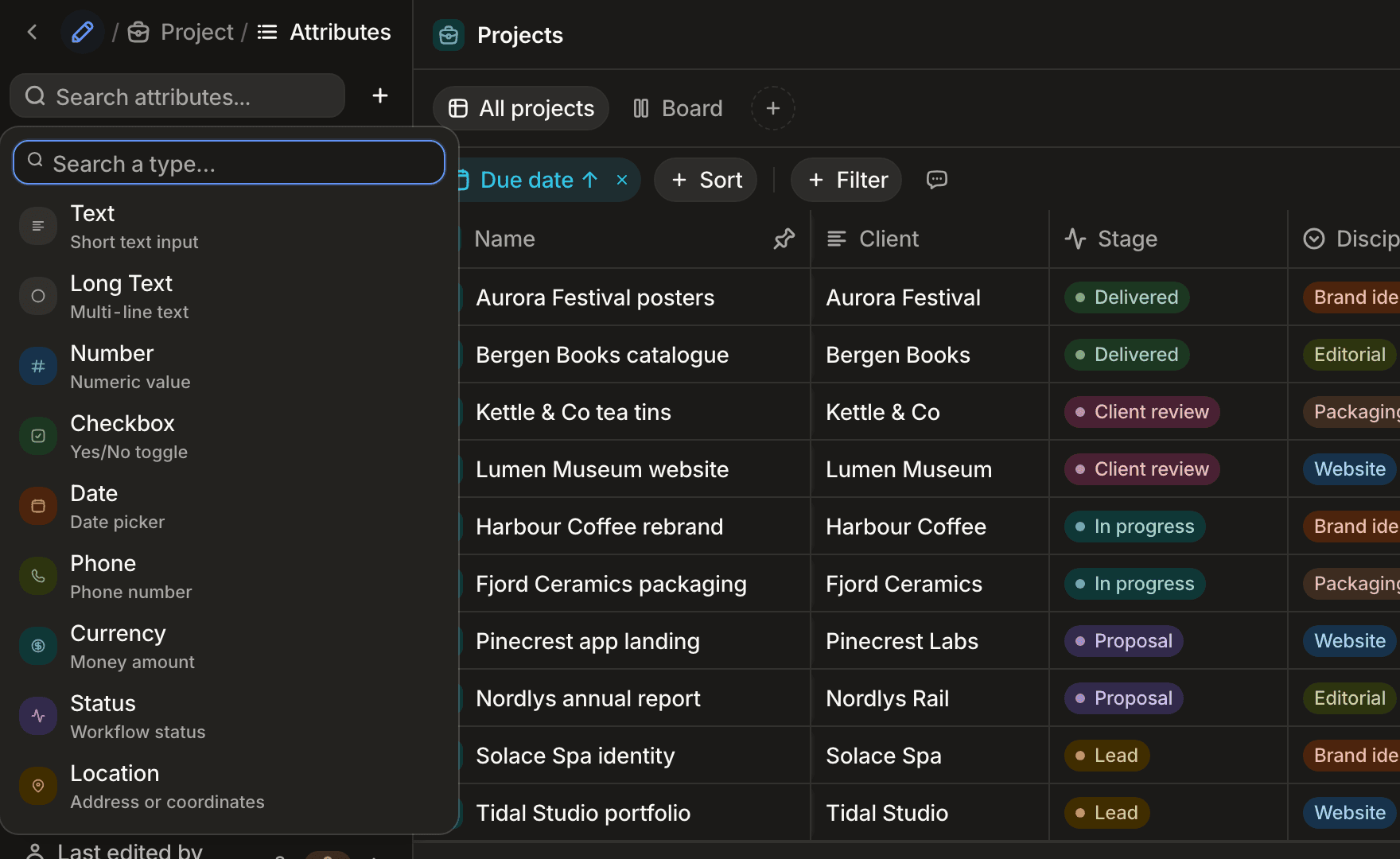
The type table on Objects and records is the index of this page: one section per type, in the same order.
Methods on every builder
| Method | Effect |
|---|---|
.required() / .optional() | Toggle the required flag. Attributes are optional by default. formula and rollup are read-only: .required() throws on them. |
.defaultValue(value) | The value a record gets on create when the attribute is omitted. Typed per attribute. A no-op on formula and rollup. There is no default method. |
.description(text) | Help text shown with the field. |
.hidden() | Hide the attribute in the app. |
.placeholder(text) | Input placeholder. |
.icon(name) | Attribute icon. Validated at declaration against the icon list of @standards/constants; an unknown name throws. |
.order(n) | Display order. |
.metadata(object) | Free-form data carried on the definition. |
.runtime() | Mark the attribute as user-owned, so it can be edited or deleted from the app. Attributes declared in code are system-owned by default. Keep it that way outside seeds and fixtures. |
.$infer | { value, definition } for zero-import type extraction: typeof attr.$infer.value. |
There is no unique, indexed or computed method. Uniqueness is not a builder concern, every attribute is queryable without an index, and computed values are the formula and rollup builders.
A required attribute is satisfied when it holds something a user would see. A value that passes the type checks but is still blank (an empty or whitespace-only string, an empty array) is refused with <Label> is required. The rule gates creation: an update that clears an attribute is accepted, and nothing re-validates stored records on read. An optional attribute normalizes a blank value to null and skips its format checks.
Every write the API refuses for one of these reasons answers 400 with code SCHEMA_VALIDATION_FAILED and one entry per failing attribute (path, message). Unknown attribute names are refused the same way. From the client this is a StandardsRequestError with status === 400.
import { StandardsRequestError } from "@standards/client";
import { getStandards } from "./client";

try {
  await getStandards().products.create({ name: "   ", price: -1 });
} catch (error) {
  if (error instanceof StandardsRequestError && error.code === "SCHEMA_VALIDATION_FAILED") {
    console.error(error.message); // "Name is required", "Price must be at least 0"
  }
}
text
A single line of text, or a paragraph with .multiline(). The app renders a .url() value as a link that opens in a new tab and an .email() value as a mail link.
| Option | Type | Default | Effect |
|---|---|---|---|
.minLength(n) | number | none | Minimum length. |
.maxLength(n) | number | none | Maximum length. |
.pattern(source) | string | none | Regex source the value must match. Clears any format preset. |
.email() / .url() / .slug() | — | none | Format preset. Clears any custom pattern; the last call wins. |
.multiline(value?) | boolean | false | Render as a textarea. |
.defaultValue(value) | string | none | Initial value on create. |
The API checks the value is a string within the length bounds and matches the pattern or preset (<Label> must be at least n characters, <Label> format is invalid). Value type: string.
import { text } from "@standards/client";

export const email = text("email", "Email").email().required();
export const website = text("website", "Website").url();
export const bio = text("bio", "Bio").multiline().maxLength(500);
richtext
Long-form content stored as semantic markdown. The app opens it in the rich text editor and parses the markdown to and from the editor's document format.
| Option | Type | Default | Effect |
|---|---|---|---|
.defaultValue(value) | string | none | Initial markdown on create. |
No type-specific option. The API checks the value is a string (<Label> must be valid rich text content) and applies the required rule to whitespace-only content. Value type: string.
import { richtext } from "@standards/client";

export const notes = richtext("notes", "Notes");
number
A numeric value. The app renders it as a number input, a percentage, or a star rating with .renderAs("rating").
| Option | Type | Default | Effect |
|---|---|---|---|
.min(n) | number | none | Lower bound. |
.max(n) | number | none | Upper bound. |
.integer() | — | off | Whole numbers only; sets decimals to 0. |
.decimal(decimals?) | number | 2 when called | Decimal places. |
.percentage() | — | off | Percentage semantics; validated between min ?? 0 and max ?? 100. |
.renderAs(style) | "number" | "rating" | "number" | Display style. A rating is validated between min ?? 0 and max ?? 5. |
.defaultValue(value) | number | none | Initial value on create. |
.integer(), .decimal() and .percentage() set the same unit; the last call wins. The API checks the value is a number within the bounds and an integer when asked (<Label> must be at least n, <Label> must be an integer). Value type: number.
import { number } from "@standards/client";

export const quantity = number("quantity", "Qty").integer().min(0);
export const score = number("score", "Score").max(5).renderAs("rating");
checkbox
A boolean. The app renders a checkbox.
| Option | Type | Default | Effect |
|---|---|---|---|
.defaultValue(value) | boolean | none | Initial state on create. |
No type-specific option. The API refuses anything but true or false. Value type: boolean.
import { checkbox } from "@standards/client";

export const active = checkbox("active", "Active").defaultValue(true);
date
A calendar day, an instant with .includeTime(), or a { start, end } range with .endDate(). The app renders a date picker in the declared format.
| Option | Type | Default | Effect |
|---|---|---|---|
.format(format) | "short" | "long" | "full" | "relative" | none | Display format. |
.precision(level) | "day" | "month" | "year" | "day" | How much of the date the value records. The value stays a full calendar day: the 1st of the month, or 1 January. The app shows a month as 03/1985 (short format) or March 1985 (long, full, relative), and a year as 1985. Its date picker opens on the months or the years, and the typed input accepts 03/1985 or 1985. A "month" or "year" precision is refused with .includeTime() or .endDate(); choosing one in the app switches both off. A value stored before the precision changed keeps its exact day, so an equality filter matches the stored day, not the month. |
.minDate(date) | ISO string or "today" | none | Earliest accepted value. |
.maxDate(date) | ISO string or "today" | none | Latest accepted value. |
.endDate() | — | off | Values become { start, end }; the inferred type follows. Returns the builder with the range type. |
.includeTime() | — | off | Values carry a time, stored as full ISO UTC instants. |
.timeFormat(format) | "12h" | "24h" | "24h" | Time display format. |
.defaultValue(value) | ISO string, or { start, end } after .endDate() | none | Initial value on create. "today" is resolved at creation to the viewer's calendar day, or to the current instant with .includeTime(). |
.defaultValue() takes a string, never a Date: the default lives in the serialized definition. The static value type is string | Date. You may write either: the client serializes a Date to ISO before sending. On read, JSON delivers an ISO string and the client revives it to a Date (both bounds of a range are revived). Without .endDate() the inferred type is string | Date; with it, DateRangeValue ({ start: string; end: string | null }, an open range leaves end null).
The API checks the value parses as a date, sits within minDate/maxDate ("today" is the current UTC day), and for a range that end is on or after start (<Label> must be a valid date).
import { date } from "@standards/client";

export const dueDate = date("dueDate", "Due date").minDate("today");
export const meeting = date("meeting", "Meeting").includeTime().timeFormat("24h");
export const period = date("period", "Period").endDate(); // { start, end }
export const createdOn = date("createdOn", "Created on").defaultValue("today");
phone
A phone number with its country. The app renders a country picker and a number input, and formats the number for that country. It shows a stored number as a tel: link that opens the dialler.
| Option | Type | Default | Effect |
|---|---|---|---|
.defaultCountry(iso3) | CountryIso3 | none | Country preselected in the picker. |
.defaultValue(value) | { countryCode, phoneNumber } | none | Initial value on create. |
The API expects { countryCode, phoneNumber }: a valid ISO-3 country code and a non-empty number (<Label> must be a valid phone number, Invalid country code), then stores the number normalized to national digits. Clearing the number of an optional phone stores null. Value type: Phone ({ countryCode: CountryIso3; phoneNumber: string }).
import { phone } from "@standards/client";

export const mobile = phone("mobile", "Mobile").defaultCountry("FRA");
currency
An amount with its currency code. The app renders an amount input with a currency picker and formats the value with its symbol.
| Option | Type | Default | Effect |
|---|---|---|---|
.defaultCurrency(code) | CurrencyCode | none | Currency preselected in the picker. |
.allowedCurrencies(codes) | CurrencyCode[] | all | Currencies offered by the picker. |
.allowNegative(value?) | boolean | false | Accept negative amounts. |
.defaultValue(value) | { code, value } | none | Initial value on create. |
The API expects { code, value }: a three-letter code and a number, refused when negative unless .allowNegative() (<Label> must be a valid currency value). allowedCurrencies narrows the picker; the API checks the code's shape, not its membership. Value type: Currency ({ code: CurrencyCode; value: number }).
import { currency } from "@standards/client";

export const amount = currency("amount", "Amount")
  .defaultCurrency("EUR")
  .allowedCurrencies(["EUR", "USD"])
  .allowNegative();
status
One workflow state out of options grouped as idle, in_progress or finished. The app renders a colored badge and reads the groups to tell open work from finished work.
| Option | Type | Default | Effect |
|---|---|---|---|
.options(list) | Option[] | [] | Set all options at once. Captures each value as a literal, so the record type is a union of your values. |
.option(config) | Option | — | Append one option. Widens the inferred value to string. |
.defaultValue(value) | option value | none | Initial state on create. |
Option shape: { value, label, color?, description?, group?, inverse?, archived? }. color takes one of the eleven ids of the Standards palette: stone, clay, brick, terra, ochre, moss, sage, lagoon, ink, iris, peony; tsc and the API refuse any other value. group takes "idle" | "in_progress" | "finished". inverse names the option set on the other side of a bilateral relation the status qualifies ("parent" → "child"). The builder throws at declaration on an empty value or label, a duplicate value, or an inverse that does not point back symmetrically. tsc refuses any other key on an option passed to .options(), .option() or a rollup's .targetOptions(), whether written inline or declared elsewhere, so { id, value, label } is a type error naming id.
The API refuses a value outside the declared options with <Label> must be one of: <options>, each option written as its code with the label beside it (sent (Envoyé)). Value type: the literal union of your option values.
import { status } from "@standards/client";

export const stage = status("stage", "Stage").options([
  { value: "lead", label: "Lead", color: "ochre", group: "idle" },
  { value: "active", label: "Active", color: "sage", group: "in_progress" },
  { value: "closed", label: "Closed", color: "ink", group: "finished" },
]);
select
One choice out of a fixed list, without workflow semantics. The app renders a dropdown. With .renderAs("badges"), forms show every option as an inline badge; the record page and the table keep the dropdown and show only the selected value.
| Option | Type | Default | Effect |
|---|---|---|---|
.options(list) | Option[] | [] | Set all options at once; keeps the literal value union. |
.option(config) | Option | — | Append one option; widens the value to string. |
.renderAs("badges") | "badges" | dropdown | Inline badges in forms. |
.defaultValue(value) | option value | none | Initial choice on create. |
Options follow the shape and declaration checks described under status. The API refuses a value outside the options with <Label> must be one of: <options>, options written as under status. Value type: the literal union of your option values.
import { select } from "@standards/client";

export const category = select("category", "Category")
  .options([
    { value: "hardware", label: "Hardware" },
    { value: "software", label: "Software", color: "ink" },
  ])
  .renderAs("badges");
multiselect
Several choices out of a fixed list. The app renders a multi-value picker. With .renderAs("badges"), forms show every option as an inline badge; the record page and the table keep the picker and show only the selected values.
| Option | Type | Default | Effect |
|---|---|---|---|
.options(list) | Option[] | [] | Set all options at once; keeps the literal value union. |
.option(config) | Option | — | Append one option; widens the value to string. |
.renderAs("badges") | "badges" | picker | Inline badges in forms. |
.defaultValue(value) | option values | none | Initial choices on create. |
The API expects an array whose every item is a declared option value (otherwise <Label> must be one of: <options>, written as under status); a required multiselect refuses [] with <Label> is required. Value type: an array of the literal union.
import { multiselect } from "@standards/client";

export const tags = multiselect("tags", "Tags").options([
  { value: "urgent", label: "Urgent", color: "brick" },
  { value: "review", label: "Review", color: "ink" },
]);
location
A postal address, down to the granularity you declare. The app renders an address form limited to the parts the granularity asks for.
| Option | Type | Default | Effect |
|---|---|---|---|
.granularity(level) | "full" | "address" | "city" | "state" | "country" | "coordinates" | none | Which parts the form collects. |
.defaultCountry(iso3) | CountryIso3 | none | Country preselected in the form. |
.allowedCountries(iso3s) | CountryIso3[] | all | Countries offered by the form. |
.defaultValue(value) | Location | none | Initial value on create. |
The API expects an object of optional parts (address, address2, city, state, postalCode, country as three letters, latitude within ±90, longitude within ±180) and refuses anything else with <Label> must be a valid location. Granularity and allowed countries shape the form; they are not re-checked on write. Value type: Location.
The form suggests addresses as you type, with no API key to configure. A field limited to France with .allowedCountries(["FRA"]) searches the French national address base (Base Adresse Nationale), which is more precise on French streets. Every other field searches OpenStreetMap worldwide.
import { location } from "@standards/client";

export const address = location("address", "Address")
  .granularity("full")
  .defaultCountry("FRA");
user
A reference to a workspace member or an agent. The app renders a people picker limited to the declared types.
| Option | Type | Default | Effect |
|---|---|---|---|
.types(list) | ("user" | "agent")[] | ["user", "agent"] | Who can be picked. An empty list throws at declaration. |
.multiple() | — | off | Reference several people. |
.notifiesOnAssign() | — | off | Send a notification to each person added to the value, from any write path (app, API, bulk, agents), provided they can read the record. Nobody is notified for assigning themself, for a removal or for a value rewritten unchanged; with .multiple(), only the newcomers are. An agent's write names the person it acts for. Several assignments of one person by the same author on one object within 10 seconds arrive as one notification with their count (see below). |
.defaultValue(value) | user id, or ids with .multiple() | none | Initial value on create. |
The notification .notifiesOnAssign() sends has the kind fyi and the type record.assigned, and comes from the person who made the write. The 10-second window announces where it ends: an assignment undone, or a record deleted, before it closes sends nothing. One record reads "Bob assigned you to Ada Lovelace (contact)" in the interface's language, opens that record, and carries payload.objectName, payload.objectLabel, payload.recordLabel, payload.actorName and payload.count (1). Several records read "Bob assigned you to 12 contacts", open nothing, and carry payload.objectName, payload.objectLabel, payload.objectPluralLabel when the object declares one, payload.actorName and payload.count.
The API expects a UUID, or an array of UUIDs with .multiple(), and refuses anything else with <Label> must be a valid ID. Value type: string. With .multiple() the stored value is an array, but the inferred type stays string; annotate it yourself when you need string[].
import { user } from "@standards/client";

export const assignee = user("assignee", "Assignee").types(["user"]).required();
export const watchers = user("watchers", "Watchers").multiple();
export const owner = user("owner", "Owner").types(["user"]).notifiesOnAssign();
relation
A link to one record (.to()), to many (.many()), across several objects (several .to() calls) or to any object (.toAny()). The app renders a record picker and shows the linked record's label, or the displayTemplate you declare.
| Option | Type | Default | Effect |
|---|---|---|---|
.to(objectName, options?) | string, { displayTemplate?, filter? } | no target | Add a target object. Call it once per target for a polymorphic relation. |
.toAny() | — | off | Link to any object. Replaces the target list. |
.many() | — | one | Switch cardinality to many. Returns a new builder. |
.maxItems(n) | number | none | Cap the linked records. .many() only. |
.qualifyWith(...builders) | attribute builders | none | Properties carried by the link itself. Call after .to(); throws otherwise. Allowed qualifiers: text, number, checkbox, date, phone, currency, status, select, multiselect, location. |
.bilateral(config) | { attribute, object?, cardinality?, label?, storageOwner? } | off | Keep an inverse attribute on the target in sync. Call after .to(); single target only; throws on a polymorphic or .toAny() relation, or when object differs from the target. |
.defaultValue(value) | record id, or ids after .many() | none ([] after .many()) | Initial links on create. |
.many() returns a new builder that copies the targets, the required flag and the base options (hidden, placeholder, description, icon, order, metadata, runtime) but not qualifiers, bilateral config or a default value. Chain order matters: call .many() before .qualifyWith(), .bilateral() and .defaultValue().
There is no on-delete option; deleting a record moves it to the trash with its incoming edges, see Relations and documents.
The API accepts a record id or { id, props } for a qualified link, an array of them after .many(), checks every id is a UUID (<Label> must be a valid ID), that the count fits maxItems (<Label> must have at most n items), and that each record exists and belongs to a declared target (Invalid or non-existent records for <Label>).
Value type: string (a record id). A many-relation is typed string too by record inference, but arrives as an array of ids; typeof attr.$infer.value on the many builder is string[]. Cast or annotate when you read it. Qualified properties and bilateral sync are walked through in Relations and documents.
import { number, relation, select } from "@standards/client";

export const company = relation("company", "Company")
  .to("companies", { displayTemplate: "{name}" })
  .bilateral({ attribute: "contacts" })
  .required();

export const members = relation("members", "Members")
  .to("contacts")
  .many()
  .maxItems(50)
  .qualifyWith(
    select("role", "Role")
      .options([
        { value: "admin", label: "Admin" },
        { value: "member", label: "Member" },
      ])
      .required(),
    number("shares", "Shares").min(0),
  );

export const related = relation("related", "Related").toAny().many();
formula
A read-only value computed from the record's own attributes when the record is read. The app renders it in the format of .returns() and never lets it be edited.
| Option | Type | Default | Effect |
|---|---|---|---|
.expression(expr) | string | none | The expression, e.g. price * quantity or CONCAT(firstName, ' ', lastName). |
.returns(type) | "text" | "number" | "boolean" | "date" | "select" | "multiselect" | none | Result type, used for formatting. |
.decimals(n) | number | none | Decimal places for numeric results. |
.currency(code) | CurrencyCode | none | ISO 4217 code a number result renders with (123 456 €). Presentation only: the value stays a number, sort, filter and aggregation are unchanged, and .returns() stays "number". Mirrors a rollup's .targetCurrency(). |
.required() throws at declaration: a formula is never required. .defaultValue() is a no-op. On write the API accepts any value for a formula and ignores it, so a formula never fails validation. if(condition, then, else) yields null when the condition is null rather than taking the else branch, and arithmetic or comparison over amounts in different currency codes yields null too. Value type: unknown; narrow it yourself from .returns().
import { formula } from "@standards/client";

export const total = formula("total", "Total")
  .expression("price * quantity")
  .returns("number")
  .decimals(2);

export const lostPension = formula("lostPension", "Pension lost over 25 years")
  .expression("monthlyPensionLost * 12 * 25")
  .returns("number")
  .currency("EUR");
rollup
A read-only aggregate over the records linked by a relation. Unlike a formula the result is stored and refreshed when the linked records change. The app renders it as the aggregate's type, or as the target's badges with .using("original").
| Option | Type | Default | Effect |
|---|---|---|---|
.from(relationName) | string | none | Relation attribute on this object to traverse. |
.aggregate(attributeName) | string | none | Attribute on the linked object. Not needed for count; required for every other function. |
.using(fn) | RollupFunction | none | sum, avg, earliest, latest, count, countValues, countUniqueValues, countEmpty, percentEmpty, percentNotEmpty, original. |
.decimals(n) | number | none | Decimal places for numeric results. |
.path(relationPath) | string | none | Dot path for multi-level traversal, e.g. orders.items. |
.targetType(type) | AttributeType | none | Type the values render as with original. |
.targetOptions(options) | Option[] | none | Options of a select-like target, for original. |
.targetCurrency(code) | CurrencyCode | none | Symbol a sum/avg over a currency target renders with. Mirror the target's defaultCurrency. |
.required() throws at declaration. .defaultValue() is a no-op. Building throws a SchemaError when .using("original") is paired with a .targetType() other than select, status or multiselect; use a formula for a plain value. On write the API accepts and ignores any value for a rollup. sum and avg over currency amounts in different codes yield null. A original rollup copies the linked values onto this record and serves them under this record's visibility, so a workspace record rolling up private targets republishes them. Value type: unknown.
import { rollup } from "@standards/client";

export const totalOrders = rollup("totalOrders", "Total orders")
  .from("orders")
  .aggregate("amount")
  .using("sum")
  .decimals(2);

export const orderCount = rollup("orderCount", "Order count")
  .from("orders")
  .using("count");
document
A pack of ordered files attached to the record, always many by construction. The app renders the pack with a preview per file and the upload constraints you declare. See Files and documents for what a document is.
| Option | Type | Default | Effect |
|---|---|---|---|
.accepts(mimeTypes) | string[] | any | MIME prefixes or globs every file must match, e.g. image/*, application/pdf. |
.maxFileSize(bytes) | number | none | Maximum size of every file of the pack. |
.qualifyWith(...builders) | attribute builders | none | Properties carried by each document. Same qualifier types as relations. Returns a builder whose value type carries the props. |
.defaultValue(value) | string[] | none | Initial document ids on create. |
The record write stores the document ids as given. The constraints apply when a file is uploaded into the pack: a file outside accepts answers 400 with DOCUMENT_MIME_NOT_ACCEPTED, a file over maxFileSize answers 400 with DOCUMENT_FILE_TOO_LARGE. A required document with an empty pack is refused with <Label> is required. Value type: string[], or Array<{ id: string; props }> when qualified.
import { date, document, select } from "@standards/client";

export const idDocument = document("idDocument", "ID document")
  .accepts(["image/*", "application/pdf"])
  .maxFileSize(10 * 1024 * 1024);

export const mandate = document("mandate", "Mandate").qualifyWith(
  date("signedOn", "Signed on"),
  select("signature", "Signature").options([
    { value: "pending", label: "Pending" },
    { value: "signed", label: "Signed", color: "sage" },
  ]),
);
Next steps
- Objects: declare the object that carries these attributes.
- Relations and documents: qualified links, bilateral sync and document packs in depth.
- Type safety: what the builder infers and how to read records with those types.
- Objects and records: the record shape every attribute value lands in.
- Book a demo